What You Actually Need Data For in Port
Understanding your real data needs in a Caribbean port helps you choose the right plan size. Here is what most cruisers actually use data for during a typical port stop:
- Navigation. Google Maps in an unfamiliar port is non-negotiable, whether you are walking to a beach, finding a taxi, or navigating a shore excursion pickup point. Even light navigation can add up quickly if the app is not caching maps offline.
- Booking and confirmation. Last-minute tour changes, restaurant reservations, and checking excursion meeting points all require a live data connection. Having that data already active when you step off the ship saves real time.
- Staying in touch. WhatsApp, iMessage, and FaceTime calls over a data connection cost nothing beyond your plan, far better than waiting until you find a reliable free WiFi spot on a busy pier.
- Photos and sharing. Most cruisers want to send a few photos home in real time. Uploading to iCloud or sharing on Instagram at each port eats modest but consistent data.
For a typical port day across these uses, most travellers land somewhere between 500MB and 1.5GB. Esimatic’s eSIM Barbados plan is a good example of how country-specific plans are structured for exactly this kind of short, data-light visit.
The Smart Strategy: eSIM for Port Days, Ship WiFi Selectively for Sea Days
The best thing you can do for yourself as a cruiser heading to the Caribbean is not deciding on which one will serve you better out of the two: either an eSIM card or ship WiFi. It is to use both of them but wisely.
Use Esimatic’s eSIM whenever you’re in the port. Everything from navigating and communicating to sharing will be taken care of for pennies compared to what you have to pay for ship WiFi per day. Once you get back onboard and the ship leaves, put yourself in airplane mode.
Then, if you actually feel the need to have a connection on your sea days to make calls or talk to your family via video chat or even stream some videos when bored, buy only what you need. These days most ships give you the opportunity to buy WiFi daily rather than per cruise.
Setting Up Your Esimatic eSIM Before You Board
The setup process is straightforward and needs to happen before you leave home. First, check that your phone supports eSIM. Esimatic’s compatible device guide covers iPhones, Samsung Galaxy, Google Pixel, and more, so you can confirm your specific model before purchasing.
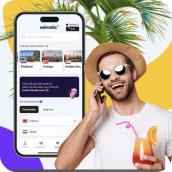
Once confirmed, download the Esimatic app, choose your plan, and install it by scanning the QR code provided. The whole process takes a few minutes on your home WiFi. Your eSIM stays on your device for up to a year with no reinstallation needed, and you can top up directly through the app if you run low mid-cruise, including from the ship’s onboard WiFi between ports.
Pack Your Bags, Not Your Connectivity Worries
A Caribbean cruise is built around the ports. The ship is how you get there, but the islands are the reason you went. Having reliable data at each stop is not a luxury for modern travellers. It is what lets you navigate confidently, share the moments as they happen, and stay in touch with the people who did not come along.
One plan, 25 destinations, automatic connection at every port, and a total cost that makes the ship WiFi math look very different. Get your Esimatic Caribbean eSIM set up before you board and your connectivity takes care of itself from the very first port.